· Orbs
Orbs are machines in which an agent can run without supervision. When you create a new thread you get a fresh orb that contains your code, plugins, and tools the agent might need.
What Are Orbs?
Orbs are remote machines where Amp agents can run without supervision. Each Amp thread started from ampcode.com in an orb gets its own orb.
Each orb starts with a fresh clone of your repository, access to your project configuration.
An orb can have up to 32GB of memory and 16 CPUs.
Pricing
You can choose the orb size for each project in project settings:
a0.tiny: 1 CPU, 2GB memory, 40GB disk ($0.10/hour)a0.small: 2 CPUs, 4GB memory, 40GB disk ($0.21/hour)a0.medium: 8 CPUs, 16GB memory, 40GB disk ($0.83/hour)a0.large: 16 CPUs, 32GB memory, 40GB disk ($1.66/hour) — default
Orbs are billed by the minute. A paused orb does not cost anything.
Orbs are auto-paused when inactive and paused immediately when their thread is archived. You never need to manually pause them.
Prices for enterprise workspaces are 50% higher.
Getting Started
- Go to ampcode.com.
- Create a new project.
- Click Create New Thread.
- Select your project.
- Enter a prompt. For example: “Create an executable .agents/setup script in this repository that installs our dev environment and makes it ready for an agent to run in an orb”
- Submit!
This will spawn a new orb, clone your repository, and start the agent in it.
Features
Review & File Access
Review the agent’s changes and browse files directly from the orb without syncing anything to your laptop first.
Terminal
Open a terminal in the orb to inspect the environment, run commands, and debug alongside the agent.
The terminal is running in a tmux session, so your agent can see what you see in the terminal.
amp sync
Run amp sync <thread-id> to mirror an orb thread’s changes into your local
checkout while the agent keeps working remotely.
amp -ox
Run amp -ox “your prompt” to start a new execute-mode thread in an orb from the
CLI.
Start Orb Threads from the TUI
Create orb-backed threads from the Amp TUI when you want the agent to run remotely but stay in your normal terminal workflow.
Choose a Project from the TUI
Use project: select to choose the project for your next orb thread. If you need
to create a new project first, use project: create.
Secrets & Env Vars
Project settings let you define environment variables and secrets for agents running in orbs. Open your project on ampcode.com, go to
Settings, then add the values your setup scripts, tools, and app need at runtime.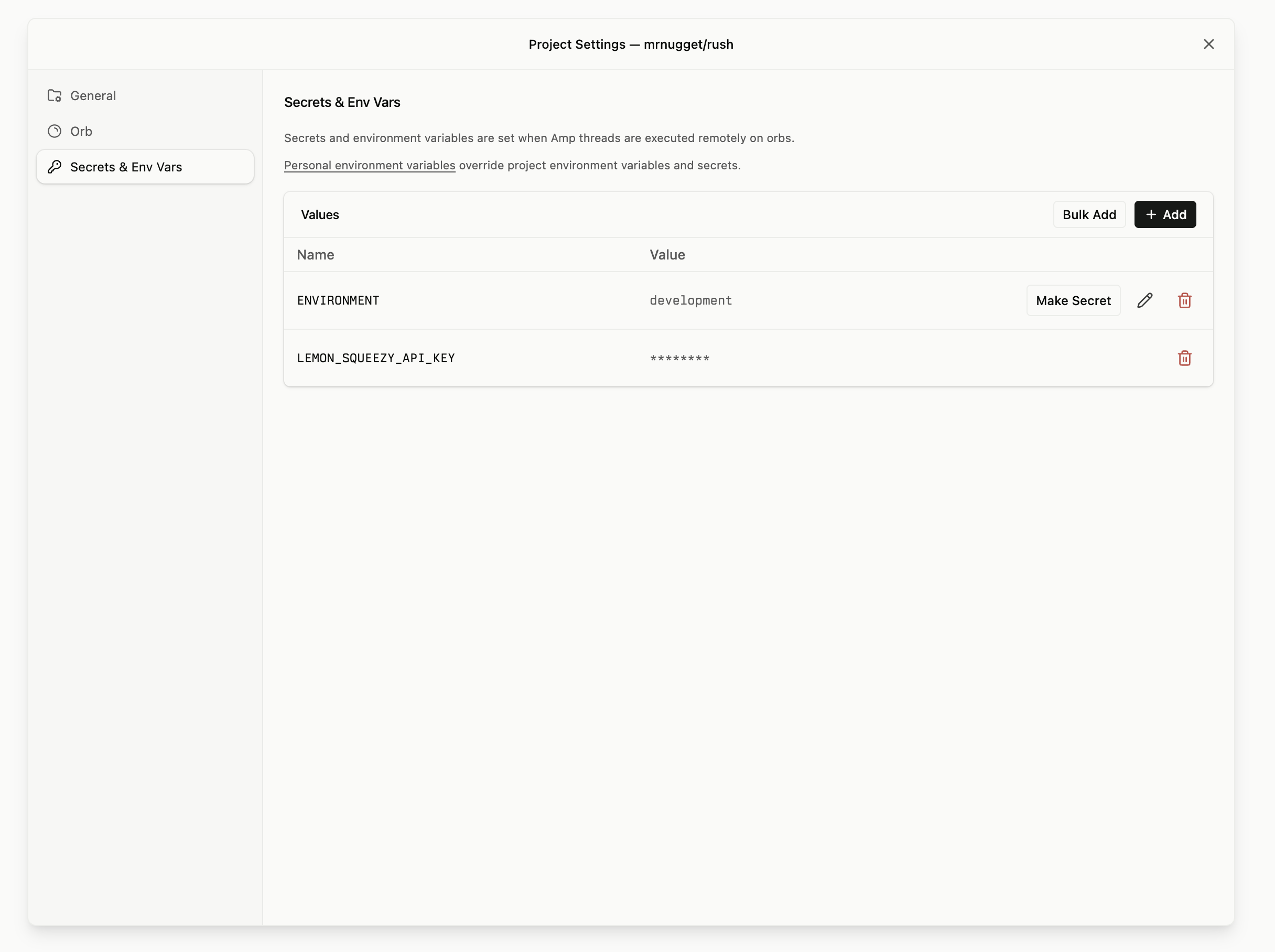
Projects
Projects are how Amp knows what code and configuration an orb should use. A project connects a repository to its orb settings, secrets, environment variables, and related threads. A project can be defined for a user, or shared across a workspace.
Threads started from a project get a fresh orb clone of that repository, and any setup files committed to the repo run as part of preparing the orb.
What's In An Orb?
Orbs run Debian 12.
Orbs already come with common agent and development tools pre-installed:
- Authenticated
ghandamp - Git and SSH
- PostgreSQL 17 and Redis
- tmux, ffmpeg, ImageMagick, vim, jq, fzf, unzip, zstd, lsof, and websocat
- ripgrep and ast-grep
- Bun, Node.js, npm, pnpm, and Yarn
- Python and pip
- agent-browser
Use apt or apt-get to install system packages, and pnpm for JavaScript dependencies.
Setup Files
Put these files in the repository, commit them, and keep them short. Amp runs .agents/setup and .agents/resume as repository lifecycle hooks from the repo root.
| File | What it does |
|---|---|
.agents/setup | A shell script Amp runs from the repo root before starting work in a fresh orb. Use it to install dependencies, prepare generated files, or check required tools. Make it executable. |
.agents/resume | A shell script Amp starts from the repo root whenever an existing orb resumes before the agent continues work. Amp waits up to 10 seconds for it; if it is still running, Amp stops blocking and lets it continue in the orb. Use it for fast, idempotent reconnect or repair steps such as restarting tunnels. Make it executable. |
Examples
Minimal .agents/setup:
#!/usr/bin/env bash
set -euo pipefail

corepack enable
pnpm install --frozen-lockfile
cp -n .env.example .env.local
Then commit the executable bit:
chmod +x .agents/setupMinimal .agents/resume:
#!/usr/bin/env bash
set -euo pipefail

# Fast, idempotent repair work only. Do not install dependencies here.
mkdir -p .amp
date > .amp/resume-last-ran.txt
Amp blocks on .agents/resume for at most 10 seconds. If the hook finishes within that
window and exits non-zero, Amp surfaces the failure before continuing. If it is still running
after 10 seconds, Amp continues and leaves the hook running in the orb; write progress and
diagnostics to logs rather than relying on the agent to wait.
Then commit the executable bit:
chmod +x .agents/resume